Time-Rewind Mechanic
Made with: Godot
The project
The idea of this project was to make a
time-rewind mechanic similar to Braid's, by taking the
approach to implement this mechanic to an already existing project,
with a system that isn't designed to support this mechanic. (as if
it was a special level in the game which is the only one to feature
this mechanic)
After making the mechanic the goal is also to
research the ways to optimize it to handle as many objects as
possible at the same time.
Overview
I began this project by making research, to find a good way to approach time-rewinding, while keeping in mind several aspects:
- Determinism : Everything should behave the same way every time we rewind time.
- Optimization : The solution should not cause significant performance issues.
- Code Structure : Since the system wasn't originally built for this mechanic, the implementation needed to be layered on top of the existing systems without altering them.
To talk a bit about the structure, the best solution I came across was to record information in an array about every object that could rewind time every frame*.
This information could be for instance positions, rotations, velocities, color, specific variables...
Then, when the time rewinds, we go through the array in reverse, applying the contained information to the recorded object, overwriting their values.
* More on recording every frame in the "Going Further" part.
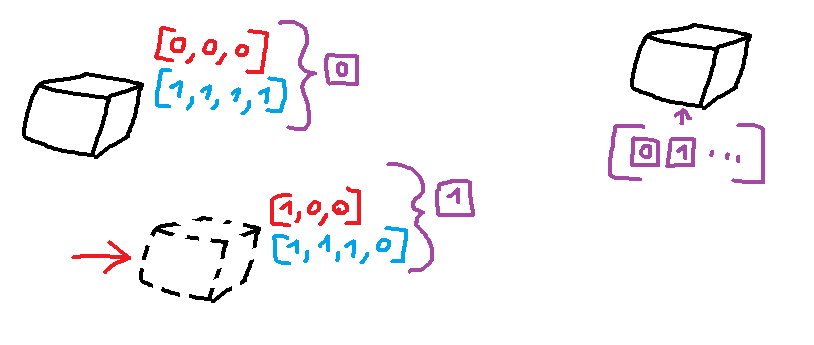
A figure of a recorded object, with a position (red) and color (blue), which are stored in an array (purple).
This theoretical system is generic enough that it can be applied to most game engines with very little limitations.
That's why I tried to prototype it using Godot, to prove this point, while studying the differences between Godot and Unity (which I'm more familiar with), especially from an optimisation and code structure standpoint.
Implementation
Another important part of this project was the fact I worked as if the mechanic was not planned from the start in a development standpoint, and needed to be added later in the game, as a secondary mechanic for a specific level.
This meant decoupling the game logic from the time-rewind logic.
To set up under these conditions, I used Kenny's 3D Platformer template, to have a base project with a set structure, that allowing me to focus exclusively on the time-rewinding mechanic within certain constraints.
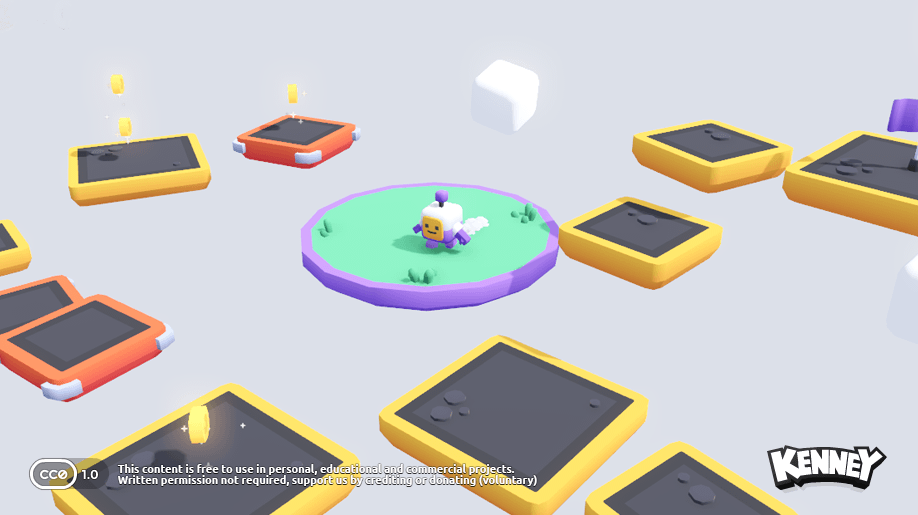
The objective was to add the time-rewinding mechanic to this code, without altering its content nor its structure.
The natural solution was a simple OOP principle: composition.
I have a base
Rewind class which implements some parameters:
- Max Positions : The maximum number of recordings in time, if we want to limit it.
- Record Frequency : How often we should record.
- Rewind Speed : A speed multiplier for timeScale during the rewind.
This generic class can then be implemented in children classes, which record specific parameters.
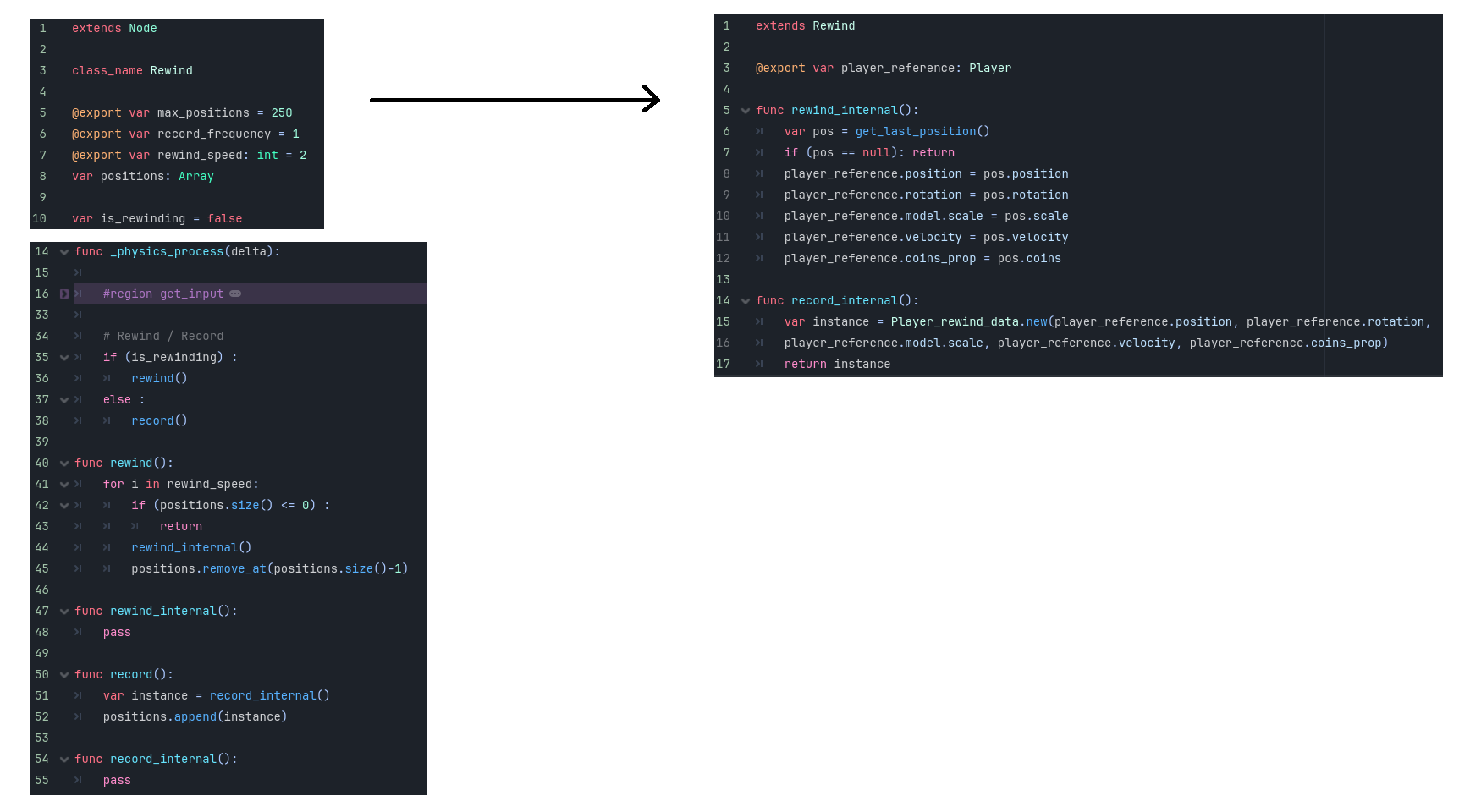
Here, the Player Rewind class inherits from Rewind by implementing record and rewind specific behaviours.
Each child class then records a target object's information, without directly modifying its script.
For instance, the
Player Rewind class is able to record information about the Player such as positions, rotations, mesh scale, velocities...
This system allows the
Player Rewind to be totally decoupled from the Player class. This means the mechanic is totally dependent on the Player Rewind class.
Since the system is the same for every objects (falling platforms, coins, moving clouds), it is easy to implement objects that can be rewound (by implementing the
Rewind class), but also objects that defy this time-rewind ability and can't be rewound (by simply not implementing any Rewind class on the object).
This flexible system is a direct benefit of using composition.
A video demonstrating a coin that can't be rewound, and one that can. Both can coexist by simply adding a script to the rewindable coin.
On top of being able to rewind objects, it was important to be able to rewind the music.
As for the objects, there is a Music Rewinder that follows the same principle.
Only, instead of recording information, we just play an inverted music, and switch between them at the appropriate time.
With a bit of reverb with Godot's audio bus system, the music really sells the time-rewinding effect, and makes the mechanic more convincing.
Going further
Making this mechanic is great, but now there are several important points to consider.
The first, and the biggest issue is the optimization.
For games with few objects in the scene at once, this is fine in itself.
But as it is, this naive approach could cause performance issue with a lot more objects in the scene.
There are several ways to easily optimize this mechanic, like by not recording at every frame:
- Less frequent recording : We don't need to record every frame. Instead, we can record every other frame and interpolate the values to create the illusion that every frame was recorded.
- Recording only when the data changes : Reduce greatly the recording information for objects that don't change or move often.
- Recording only deltas : For potential big values such as velocity, we can only record the difference with the last value to record smaller variables.
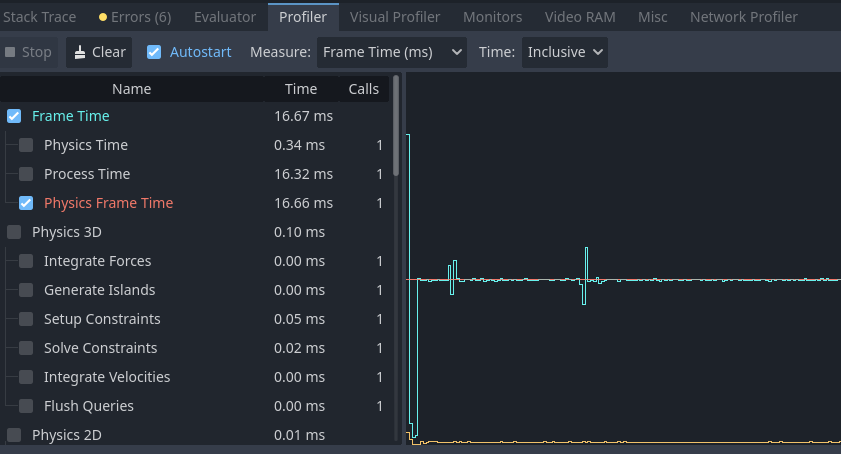
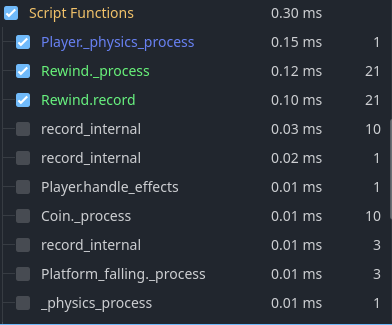
Godot's profiler for the naive approach, where the recording doesn't cost much yet compared to other physics tasks.
Another important aspect to consider I presented at the start that I still haven't touched on is determinism.
It's critical that rewinding doesn't alter how the game plays when time resumes.
To start with, we can record everything in the physics update, which is frame rate-independent. (FixedUpdate in Unity, _physics_process in Godot)
If we want to go further, it's important to also keep in mind that moving objects using the physics engine is often not deterministic, so small changes can affect objects' movements.
In this case, the provided code was already deterministic, so it wasn't an issue, but it's something to watch out for in more complex scenarios.
Result
To conclude, this project was very informative to me, allowing me to make this mechanic from scratch and to attach it to an existing project.
Thinking about both the optimization, determinism and code structure at the same time was a fun challenge too!
Finally, making this in Godot and comparing it to Unity was educational, allowing me to learn more of the Godot engine (profiler, shader, audio bus...).
Overall, I'm proud of the result: